FancyCursive
Cursive Font Generator
Type your text and see it in real script fonts whose letters actually join. Download a transparent PNG or a font-free SVG.
8 audited script fonts · 52 cursive letters · 2 Unicode alphabets
Need text you can paste instead? Use the cursive alphabet
Posting text in an app? Copy text. Printing, designing or need letters that join? Image.
Which cursive fonts actually connect their letters
Every font drawn with the same test words. What you see is what you download.
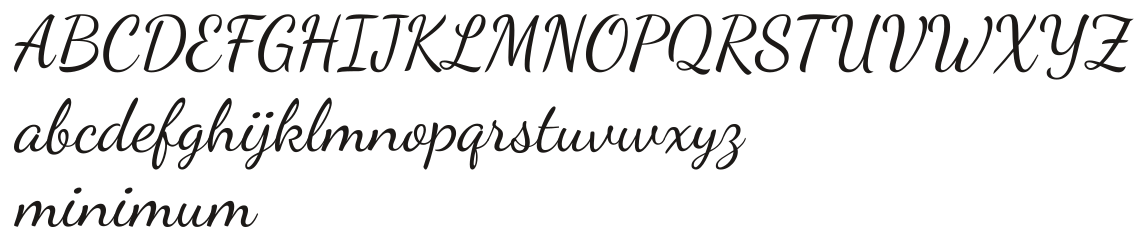
Dancing ScriptPablo Impallari
Fully connected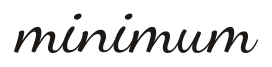
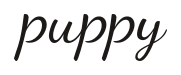
Joins cleanly, casual bounce; the ff pair keeps a hairline seam.
See all letters
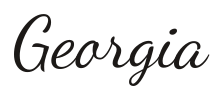
Great VibesRobert E. Leuschke
Fully connected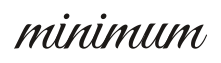
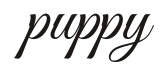
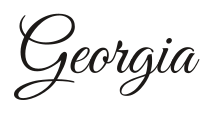
Joins cleanly; capital G connects with a soft swash.
See all letters

AlluraRobert E. Leuschke
Fully connected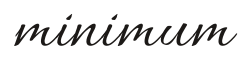
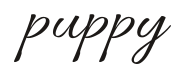
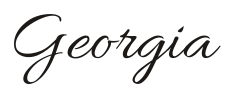
Joins cleanly; generous swashes on capitals.
See all letters

Alex BrushRobert E. Leuschke
Fully connected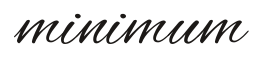
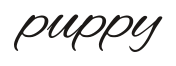
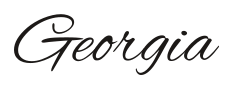
Joins cleanly; light, airy capitals.
See all letters

Pinyon ScriptNicole Fally
Fully connected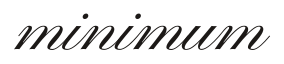
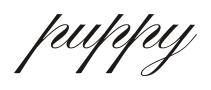
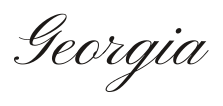
Joins cleanly; very ornate French script capitals.
See all letters
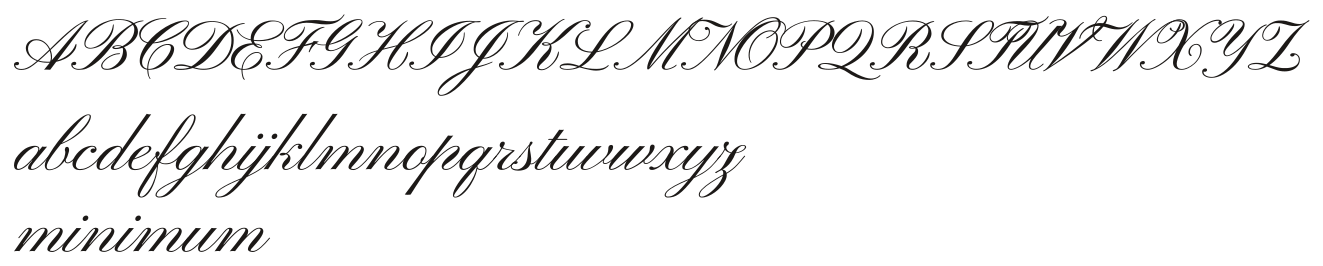
ItaliannoRobert E. Leuschke
Fully connected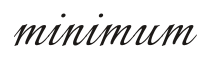
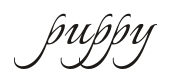
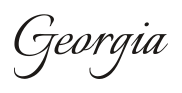
Joins cleanly; flowing italic with tall ascenders.
See all letters
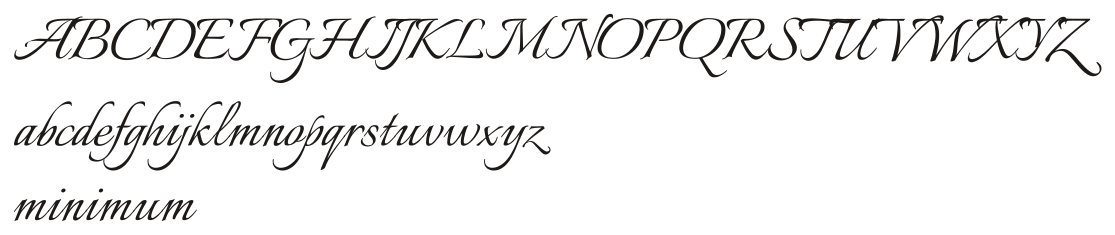
ParisienneAstigmatic
Partly connected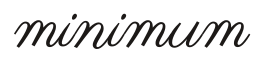
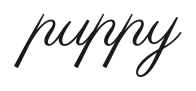
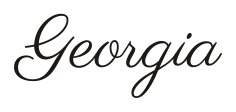
Lowercase joins; most capitals stand alone.
See all letters

SacramentoAstigmatic
Partly connected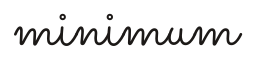
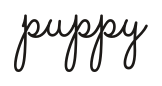
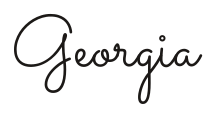
Thin monoline; hairline gaps after some capitals and in ff.
See all letters

What is a cursive font generator?
A cursive font generator draws your words with an actual script font file, so the letters join the way the type designer intended, and gives you the result as an image.
That is the difference between this page and a copy-paste converter. Here the cursive font generator loads eight real script fonts — Dancing Script, Great Vibes, Allura, Alex Brush, Pinyon Script, Italianno, Parisienne and Sacramento — renders your text with a professional shaping engine, and hands you the drawn result. That pipeline is what makes this a cursive font generator rather than a toy screenshot tool. The joins you see are the joins the font designer drew, not an illusion.
Every font in the cursive font generator is free and open-licensed, every preview is live, and every download is a clean outline image: a transparent PNG for quick use, or an SVG that stores the letter shapes themselves — the two formats the cursive font generator ships, so nothing depends on the reader's device.
Cursive font vs. copy-and-paste cursive
A cursive font changes how ordinary letters are drawn, while copy-and-paste cursive swaps your letters for different Unicode symbols that only look similar.
The two techniques get mixed up constantly because both are called "cursive". This table is the honest comparison.
| Cursive font (image) | Copy-and-paste cursive (text) | |
|---|---|---|
| Letters connect | Yes — real joins from the font | No — separate symbols |
| Pastes into an app | No — it's a picture | Yes — works anywhere text works |
| Looks the same everywhere | Yes — the pixels ship with it | No — reader's device redraws it |
| Accented letters (é, ñ) | Rendered by the font itself | Kept as separate combining marks |
Which cursive fonts actually connect their letters?
Only some script fonts join every letter; others leave gaps after certain capitals or between letters such as r and n.
Every font below was drawn with the same test words and reviewed letter by letter before it shipped on this cursive font generator. The page shows the verdict, not just the promise: each row is the real output of the real engine. The specimen rows show the honest verdict: which fonts join cleanly, where capitals stand alone, and where small gaps appear. If a font says partly connected, that is a design choice, not a defect — formal scripts often lift the pen after a tall capital on purpose.
PNG or SVG: how to export cursive text that won't break
Use PNG for quick posts and printing at the size you exported; use SVG when you need to resize, because our SVG stores the letter outlines and does not depend on the font being installed.
Exports from other tools have three classic failure modes, and the cursive font generator was designed around all three. An SVG that stores only the text with a font name attached changes shape the moment it lands on a computer without that font. A transparent background quietly turns white, wrecking a dark design. And tight auto-cropping slices off the swashes of a capital G or the tail of a y.
The cursive font generator here avoids all three, by construction. The SVG carries the actual letter outlines, so it looks identical everywhere. The PNG keeps its transparency until you choose a background. And both are sized to the ink's true boundary with breathing room, so flourishes and descenders survive intact.
Export settings in the cursive font generator
Pick the ink color, choose a transparent, white or custom background, and set the export scale. One-times PNG is right for previews; two-times is the everyday default for posts and cards; four-times holds up at print sizes. When you need something bigger than the largest PNG, take the SVG — the cursive font generator exports outlines that stay smooth at any size, from a phone sticker to a banner.
Can I use these cursive fonts commercially?
Every font in this cursive font generator is released under an open license, usually the SIL Open Font License, which allows commercial use of images you make with it.
That means the wedding invitations you sell, the product labels you print, the client logos you draft — all fine, in plain reading of the licence. The licence’s one firm limit is that the fonts cannot be sold on their own. Copies are self-hosted here only so your browser can draw the images, and we do not offer them as downloads: each font links to its official page, where the designers publish the files. The full list, designer credits and licence texts live on the font licences page of the cursive font generator. This is information, not legal advice; for a high-stakes project, read the licence or ask a lawyer.
Want the font on your own computer?
You can download each script font free from its official source and install it, then type with it in Word, Canva or Photoshop.
Every font card in the cursive font generator has a Get this font link straight to the official Google Fonts page, where the designers and foundries publish the files. Install it like any font, and the exact letters you previewed in the cursive font generator will be waiting in your design apps — same joins, same swashes, same everything. Fonts installed that way match the cursive font generator output letter for letter, so you can keep editing in the shapes you previewed.
What to do next
Pick the page that matches your next step.
Need letters you can paste into a bio instead of an image? The cursive generator home page gives you both copyable alphabets. Turning a name into a card or a bio? The cursive name generator handles full names, initials and accents. Want hearts and sparkles around the letters? The fancy cursive page decorates them. Every page runs the same engine as the cursive font generator, so what you learn here works everywhere.
Sources: Open Font LicenseGoogle Fonts
Cursive Font Generator FAQ
Is the cursive font generator free?
Yes — the cursive font generator is free to use, with no sign-up and no watermark. The fonts are open-licensed, and the images you export are yours.
Why does my SVG look different in another program?
Some tools export SVGs that just name a font and hope the reader's computer has it — open that file anywhere else and the shape changes. The cursive font generator never exports that kind of file. Our SVG stores the letter outlines themselves, so it renders the same in every browser and design tool, even with no script fonts installed.
Why is a letter missing in this font?
Some script fonts cover only basic Latin letters. If your text uses a character a font doesn't contain, the cursive font generator card says Missing and shows exactly which letter, instead of quietly substituting a different glyph. Pick a font marked as fully covering extended letters in the cursive font generator, or type around the gap.
Can I print the PNG large?
For posters and large prints use the 4× export, or better, the SVG. A 4× PNG from the cursive font generator carries enough pixels for most home printers; the SVG stays crisp at banner size.
Can I make my own handwriting into a font here?
No. The cursive font generator draws text with existing professional fonts; it does not create font files. Turning handwriting into a font is a separate craft from a cursive font generator, with its own tools — and the official font pages linked from each card are the right place to meet the people who do it professionally.
What to do next
Last tested: November 18, 2026