FancyCursive
Cursive Generator
Copy cursive letters for your bio, or download real connected script as an image. Free, no sign-up.
8 audited script fonts · 52 cursive letters · 2 Unicode alphabets
Posting text in an app? Copy text. Printing, designing or need letters that join? Image.
ℋℯ𝓁𝓁ℴ, ℊℴ𝓇ℊℯℴ𝓊𝓈
1 characters kept as-is: ,
𝓗𝓮𝓵𝓵𝓸, 𝓰𝓸𝓻𝓰𝓮𝓸𝓾𝓼
1 characters kept as-is: ,
Fancy styles (same letters, dressed up)
༺ ℋℯ𝓁𝓁ℴ, ℊℴ𝓇ℊℯℴ𝓊𝓈 ༻
✧ 𝓗𝓮𝓵𝓵𝓸, 𝓰𝓸𝓻𝓰𝓮𝓸𝓾𝓼 ✧
♡ ℋℯ𝓁𝓁ℴ, ℊℴ𝓇ℊℯℴ𝓊𝓈 ♡
✿ ℋℯ𝓁𝓁ℴ, ℊℴ𝓇ℊℯℴ𝓊𝓈 ✿
˚₊‧ ℋℯ𝓁𝓁ℴ, ℊℴ𝓇ℊℯℴ𝓊𝓈 ‧₊˚
【 𝓗𝓮𝓵𝓵𝓸, 𝓰𝓸𝓻𝓰𝓮𝓸𝓾𝓼 】
Want decorated styles? See fancy cursive
Paste check
Saved your post? Paste back the text the app shows: we'll report which cursive characters the platform turned into plain letters or dropped.
Copy a style first, post it in your app, then paste here what it shows.
Ready to copy
Copied letters are best for social posts. For letters that truly join, download the image.
Instagram bio lines
Copy text (Unicode)
𝓁𝒾𝓋𝒾𝓃ℊ 𝓂𝓎 𝒷ℯ𝓈𝓉 𝓁𝒾𝒻ℯ
𝓵𝓲𝓿𝓲𝓷𝓰 𝓶𝔂 𝓫𝓮𝓼𝓽 𝓵𝓲𝓯𝓮
Image · Great Vibes
Download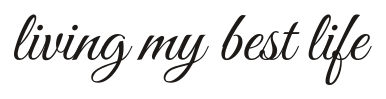
Copy text (Unicode)
ℊℴℴ𝒹 𝓋𝒾𝒷ℯ𝓈 ℴ𝓃𝓁𝓎
𝓰𝓸𝓸𝓭 𝓿𝓲𝓫𝓮𝓼 𝓸𝓷𝓵𝔂
Image · Dancing Script
Download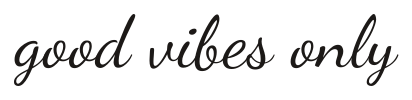
Copy text (Unicode)
𝒷𝓁ℯ𝓈𝓈ℯ𝒹 𝒶𝓃𝒹 𝒷𝓊𝓈𝓎
𝓫𝓵𝓮𝓼𝓼𝓮𝓭 𝓪𝓷𝓭 𝓫𝓾𝓼𝔂
Image · Alex Brush
Download
Copy text (Unicode)
𝒿𝓊𝓈𝓉 𝓂ℯ
𝓳𝓾𝓼𝓽 𝓶𝓮
Image · Allura
Download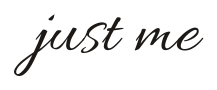
Copy text (Unicode)
𝓂𝒶𝒾𝓃 𝒸𝒽𝒶𝓇𝒶𝒸𝓉ℯ𝓇
𝓶𝓪𝓲𝓷 𝓬𝓱𝓪𝓻𝓪𝓬𝓽𝓮𝓻
Image · Italianno
Download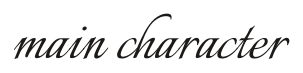
Copy text (Unicode)
𝓈𝓉𝒶𝓎 ℊℴ𝓁𝒹ℯ𝓃
𝓼𝓽𝓪𝔂 𝓰𝓸𝓵𝓭𝓮𝓷
Image · Pinyon Script
Download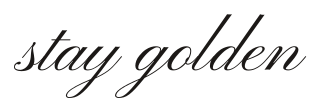
Cards & wishes
Copy text (Unicode)
ℋ𝒶𝓅𝓅𝓎 ℬ𝒾𝓇𝓉𝒽𝒹𝒶𝓎
𝓗𝓪𝓹𝓹𝔂 𝓑𝓲𝓻𝓽𝓱𝓭𝓪𝔂
Image · Great Vibes
Download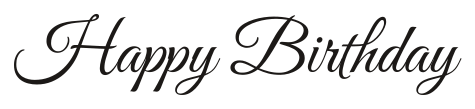
Copy text (Unicode)
𝒯𝒽𝒶𝓃𝓀 𝒴ℴ𝓊
𝓣𝓱𝓪𝓷𝓴 𝓨𝓸𝓾
Image · Allura
Download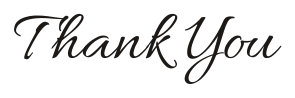
Copy text (Unicode)
𝒞ℴ𝓃ℊ𝓇𝒶𝓉𝓊𝓁𝒶𝓉𝒾ℴ𝓃𝓈
𝓒𝓸𝓷𝓰𝓻𝓪𝓽𝓾𝓵𝓪𝓽𝓲𝓸𝓷𝓼
Image · Dancing Script
Download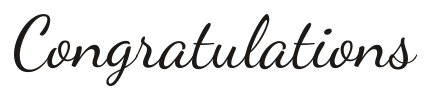
Copy text (Unicode)
𝒥𝓊𝓈𝓉 ℳ𝒶𝓇𝓇𝒾ℯ𝒹
𝓙𝓾𝓼𝓽 𝓜𝓪𝓻𝓻𝓲𝓮𝓭
Image · Alex Brush
Download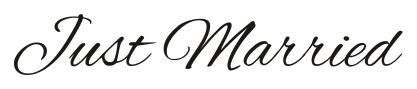
Copy text (Unicode)
ℋ𝒶𝓅𝓅𝓎 𝒜𝓃𝓃𝒾𝓋ℯ𝓇𝓈𝒶𝓇𝓎
𝓗𝓪𝓹𝓹𝔂 𝓐𝓷𝓷𝓲𝓿𝓮𝓻𝓼𝓪𝓻𝔂
Image · Italianno
Download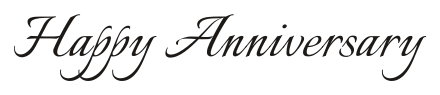
Copy text (Unicode)
𝒢ℯ𝓉 𝒲ℯ𝓁𝓁 𝒮ℴℴ𝓃
𝓖𝓮𝓽 𝓦𝓮𝓵𝓵 𝓢𝓸𝓸𝓷
Image · Pinyon Script
Download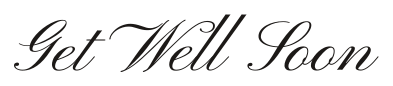
Short words
Copy text (Unicode)
𝓁ℴ𝓋ℯ
𝓵𝓸𝓿𝓮
Image · Great Vibes
Download
Copy text (Unicode)
𝓍ℴ𝓍ℴ
𝔁𝓸𝔁𝓸
Image · Dancing Script
Download
Copy text (Unicode)
𝒷ℯ𝓈𝓉𝒾ℯ
𝓫𝓮𝓼𝓽𝓲𝓮
Image · Allura
Download
Copy text (Unicode)
𝓆𝓊ℯℯ𝓃
𝓺𝓾𝓮𝓮𝓷
Image · Alex Brush
Download
Copy text (Unicode)
𝒹𝓇ℯ𝒶𝓂ℯ𝓇
𝓭𝓻𝓮𝓪𝓶𝓮𝓻
Image · Italianno
Download
Copy text (Unicode)
𝒶𝓃ℊℯ𝓁
𝓪𝓷𝓰𝓮𝓵
Image · Pinyon Script
Download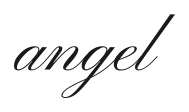
What is a cursive generator?
A cursive generator turns the text you type into cursive-style letters you can copy and paste, or draws it in a real script font as an image you can download.
This cursive generator gives you both results from one box. Switch to Copy text and the cursive generator converts every letter you type into Unicode cursive characters, ready to paste into a bio, a caption or a message. Switch to Image and the same words are drawn with a real connected script font, so you can download a PNG for a card, a poster or a profile picture. The cursive generator keeps both modes one click apart, because half of all sessions end in needing a picture.
The text mode works everywhere you can type, because it uses ordinary characters — just fancy ones. The image mode works everywhere images work, because it is a picture. A cursive text generator that only offers one of the two forces you to guess which you need; this page hands you both and tells you honestly where each one shines.
Copy text or download an image: which one do you need?
Copy text when you are typing into an app, and download an image when you need letters that truly join or look the same everywhere.
Both modes come out of the same cursive generator, but they solve different problems. Copied cursive lives inside your keyboard's world; downloaded script lives inside a picture. This table matches the usual jobs to the right mode, the same judgment the cursive generator makes when you hover between its two tabs.
| Where it goes | Use | Why |
|---|---|---|
| Instagram or TikTok bio | Copy text | Bios only accept text — paste the cursive letters in |
| Caption or comment | Copy text | Fastest way to write in cursive inside a post |
| Text message or DM | Copy text | Pastes like any other message |
| Greeting card or gift tag | Image | Prints cleanly at any size, letters fully joined |
| Poster, print or invitation | Image | Same look on every device and every printer |
| Logo or watermark draft | Image SVG | Scales without blur, keeps its exact shape |
How to use the cursive generator
Type or paste your text, pick a cursive style, then copy it or download it as an image.
Step 1: type your text
Start typing over the example text — the cursive generator updates about 150 milliseconds after each keystroke, so the results follow you as you write — the cursive generator never makes you press a button to see the next draft. You can paste up to 500 characters into text mode or 120 characters into image mode.
Step 2: pick a cursive style
In Copy text mode the cursive generator shows the two copyable cursive alphabets: Script, a lighter hand, and Bold Script, a thicker one. In Image mode it shows real script fonts — Dancing Script, Great Vibes, Allura and more — each labelled with how well its letters actually connect. This honesty is the point of the cursive generator: no pretending every script joins.
Step 3: copy or download
Tap Copy next to the style you like, or open a font and download a transparent PNG or an SVG. Every result also works as a cursive writing generator in reverse: study how the script version joins its letters, then try it with a pen. Teachers use the cursive generator as a whiteboard for how a word should flow.
How the cursive generator handles numbers and symbols
Digits, punctuation and emoji have no cursive Unicode equivalents, so the cursive generator keeps them exactly as you typed them. Under each result you will find a conversion report listing every character that stayed normal — for example, after converting Amelia Rose 2026! the report reads 5 characters kept as-is: 2, 0, 2, 6, !. Nothing is ever silently dropped, and the same rule applies to mixed print to cursive input: only the letters change costume, and the report keeps you informed. That transparency is what separates a real cursive converter from a toy.
How to copy and paste cursive on your phone or computer
Tap Copy next to a style, then paste it wherever you can type text: long-press and choose Paste on a phone, or press Ctrl+V or Cmd+V on a computer.
On iPhone and Android
Tap the Copy button under the cursive result you want, open the app where you want it — Instagram, TikTok, Messages, WhatsApp, anything that accepts typing — then tap and hold the text field and choose Paste. If the field already has text, drop the cursive in first and edit around it; it behaves like any other characters. Copy and paste cursive is the whole point of the cursive generator on phones, where installing fonts is not an option. To paste cursive back into the generator and try a different style, the same long-press menu works in reverse.
On Windows and Mac
Click Copy, click where the words should go, and press Ctrl+V on Windows or Cmd+V on a Mac. Because the output of this cursive converter is plain text in fancy clothing, every app that accepts a paste accepts it: Word, Google Docs, Canva text boxes, Discord, email, everywhere. That is the whole trick behind cursive copy and paste — no fonts to install, nothing to enable. The cursive generator simply hands your keyboard fancier letters, and every app takes it from there.
Why the cursive letters you copy don't connect
Copy-and-paste cursive is made of separate Unicode symbols, so each letter stands alone and the strokes never join.
This is the number-one surprise for anyone using a cursive generator for the first time. The copyable cursive alphabet is a set of individual characters from the Unicode standard, and each character is drawn on its own — there is no such thing as a Unicode character that flows into the next one. No website, no matter what it promises, can hand you copied letters that truly connect — a cursive generator claiming otherwise is describing images and hoping nobody notices. What a cursive generator can do is be honest about the seams, which is why the conversion report exists.
When you need genuine joined-up writing — a wedding sign, a card, a logo — switch to the cursive generator's Image mode. The script fonts there are real connected fonts, shaped so each letter reaches the next, and the download keeps every join exactly as the type designer drew it. The image mode of the cursive generator is the honest answer when you need genuine handwriting.
Why your cursive text may look different on another phone
The person reading your post sees cursive drawn by their own device's fonts, so the same letters can look different, turn plain, or show as empty boxes.
There are three ways this plays out after a cursive copy and paste. First, the look shifts: one phone draws Mathematical Script letters with sharp strokes, another with soft ones, so your elegant line can arrive in a slightly different outfit. Second, a platform may quietly swap the fancy characters for ordinary letters when you save or send — your bio looks cursive to you and plain to everyone else. Third, an older device without these characters shows empty boxes instead of letters. No cursive generator can control this: the characters are redrawn by the reader's device.
This is exactly why the Paste check sits under the results. Copy a style, save it in your app, then paste back what the app actually shows you: the check reports which characters were converted to plain letters or removed, so you know what your audience sees before they do. For anything that must look identical everywhere — a name, a brand line, an announcement — use an image instead, because a picture carries its own letters with it. And where a field only accepts ordinary letters, such as most usernames, keep the cursive font copy and paste for your bio and display name, where fancy characters are far more likely to survive. The Paste check is the cursive generator's answer to the other two failure modes, and it takes ten seconds to run.
Cursive alphabet to copy and paste
Unicode has exactly two cursive alphabets, Mathematical Script and Mathematical Bold Script; other "cursive fonts" you can copy are these two with decorations added.
That fact is worth knowing before you shop around: every site offering fifty copyable cursive fonts is selling the same 52 characters wearing different hats. Below, the cursive generator lays out the complete set, A to Z in both cases and both alphabets, as real text — tap a letter to spell in the bar, or long-press one to copy it on its own. The full english to cursive alphabet is here, nothing held back, and copying the whole A–Z takes one tap. A third copyable alphabet on another cursive generator? Look closely: it is one of these two, decorated.
Tap letters to spell a word here
Can a cursive generator read handwriting?
No: a cursive generator turns typed text into cursive, while reading a photo of handwriting needs handwriting recognition (OCR), which is a different kind of tool.
If you photograph a handwritten note and want it as typed text, you need an OCR app, not a cursive converter — and this tool deliberately does not try to be one. The cursive generator works in the other direction: you type, it dresses your words in cursive. That is why this cursive generator refuses to guess at handwriting it cannot see. Combining the two, scanning handwriting and then re-drawing it as clean script, is a fine project — it just is not what happens on this page.
What to do next
Pick the page that matches your next step.
Designing or printing? The cursive font generator page adds export controls, full alphabets per font, and a licence page for every typeface. Writing your own name? The cursive name generator shapes full names, first names and initials, and knows about accents. Want it fancier still? The fancy cursive page adds hearts, sparkles and frames around the same letters. Or stay here: the text to cursive box above is the fastest way to generate cursive there is. Whatever you choose, the cursive generator keeps the same honest reports on every page.
Sources: UnicodeOpen Font License
Cursive Generator FAQ
Is this cursive generator free?
Yes. Every style on this cursive generator is free to copy and every font preview is free to download, with no sign-up and no watermark. There is no account system standing between you and the letters. The cursive generator runs entirely in your browser.
Does the cursive generator save my text?
The cursive generator is designed to process your text in your browser: the conversion happens on your device. Nothing is stored, because there is nothing to store it in.
How do I copy and paste cursive on iPhone?
Tap Copy under the cursive result, open the app where you want it, touch and hold the text field and choose Paste. On an iPhone the pasted cursive generator output uses the system's own script characters, so it looks slightly different from the preview — that is normal, and the Paste check above will tell you exactly what survived.
Will the person I send it to see cursive too?
Usually yes, but not always. The reader's device draws the cursive characters with its own fonts, so the style can shift, and some apps convert fancy characters back to plain letters when a message or bio is saved. Test with the cursive generator's Paste check, and switch to an image when the look really matters.
Can I use cursive letters in my Instagram username?
Username fields usually accept only ordinary letters, numbers and underscores, so fancy characters are likely to be rejected or swapped out there. Bios and display names are far more accepting — paste the cursive generator output there first, look before you save, and check the result in your own profile afterwards.
Why do some letters stay normal?
Digits, punctuation, emoji and non-Latin letters have no cursive Unicode versions, so the cursive generator keeps them as-is and lists them in the conversion report under the result. If a letter you expected to change did not, check the report — it is always honest about what converted and what did not. The cursive generator treats the report as a feature, not fine print.
Can I use the images commercially?
Every script font in the cursive generator's image mode is released under the SIL Open Font License, which allows commercial use of the images you make with it — invitations, products, posts, client work. The licence page lists each font, its designer and the licence text, though none of this is legal advice. Every image the cursive generator exports carries the licence of the font that drew it.
Is copied cursive bad for screen readers?
It can be. Screen readers may read the fancy characters one by one, spelling out symbol names instead of words, which is painful for listeners. Keep important information in ordinary letters too, and treat the cursive generator's output as decoration, never as the only copy of something that matters.
What to do next
Last tested: November 18, 2026